 PS Evolution
How to start the PS Evolution free trial and check your subscription
The free trial unlocks every tool for 24 hours, no card needed. To start it, you confirm your account email with a 6-digit code. There is one trial per PS Evolution account.
You can start it inside the app, right after you sign up, or in the customer area on the website, logging in with the same email and password.
Step by step
-
Sign up in the app
On the login screen, use the "Sign Up" tab. With no active plan, the app opens the "Plans" screen.
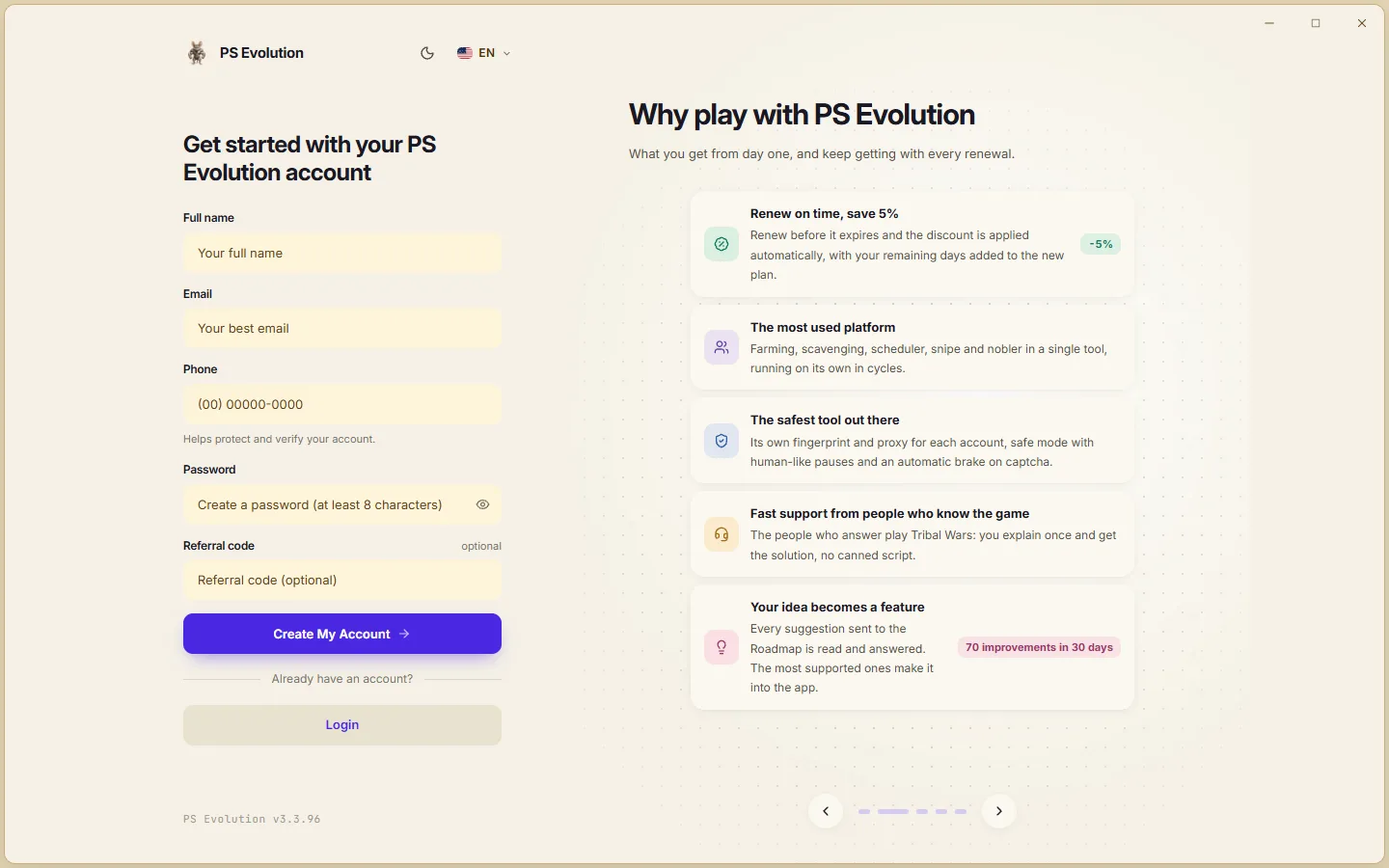
Sign up in the app -
Request the trial
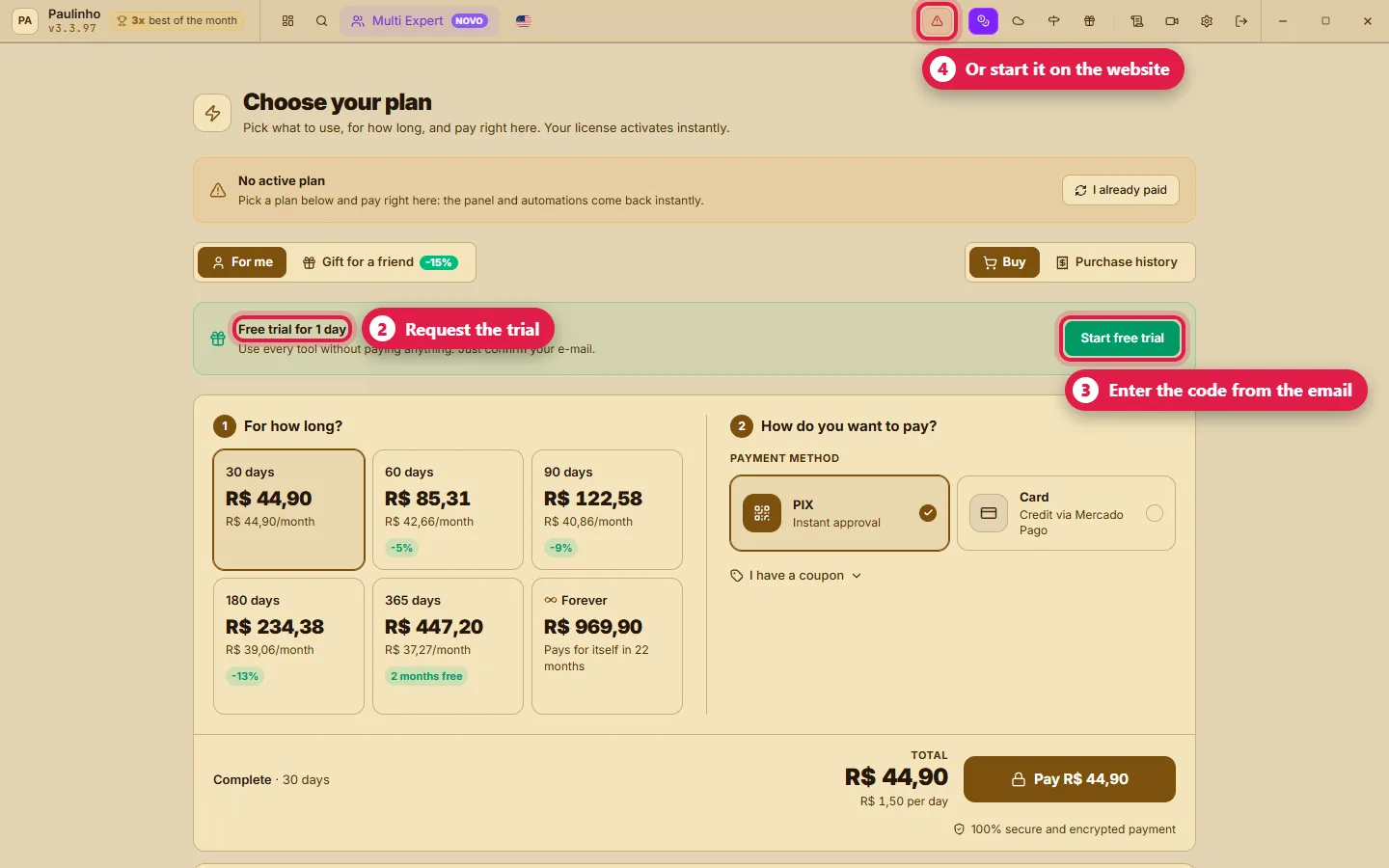
At the top of Plans you see the green banner "Free trial for ...". Click "Start free trial". Only then is the code sent to your email.
-
Enter the code from the email
The same banner now shows "Confirm your e-mail". Type the 6 digits you received and click "Start free trial". The app opens with everything unlocked. If the email did not arrive, wait a little and use "Resend code".
-
Or start it on the website
If you prefer, open
ps-evolution.com/area-cliente, log in with your account email and password and do the same under "Plans". Back in the app, the plan badge at the top no longer shows "No Plan"; if it does not change, click "Logout" and log in again. -
Check your plan, expiry and limit
Click the plan badge at the top, then "My subscription". The screen shows "Current plan", "Status" (Active, Expired or Lifetime), "Expires on" and the days left, with the "Renew now" or "View plans" buttons. Next to the account list on the Dashboard you see how many accounts are connected out of your plan's limit.
What each option does
| Option | What it is for |
|---|---|
| No Plan | Red badge: the account has no plan and no active trial. |
| Expires in | Countdown shown on the badge when the plan is about to end. |
| Plan Expired | The plan has ended. When the license expires, automations stop and accounts are disconnected from the app. |
| Accounts connected | How many accounts can be on at the same time on your plan. Go over the limit and the account shows "Limit reached" and the "Increase limit" button. |
Tips
- The trial code is only sent after you confirm you want the trial. Buying a plan never requires confirming your email.
- If you renew before your plan ends, the days you have left are added to the new plan.
- The free trial does not give courtesy slots in Multi Contas Expert; only a paid plan does.
Common problems
"This account has already used the free trial."
The trial is valid once per PS Evolution account. To keep using the app, pick a plan under "Plans".
"A free trial has already been activated on this computer."
Another account created in the app on this same computer already used the trial. The trial is not unlocked again for another account on the same machine.
"Invalid or expired code."
Check the 6 digits in the most recent email. If you requested more than one code, only the last one works. Use "Resend code" if you need to.
"Too many wrong attempts. Request a new code."
Click "Resend code" and type the new code.
"The free trial is not available right now."
The trial is temporarily turned off. Plans are still available under "Plans".
See also
Do not have PS Evolution yet?
The download is free: download it, create your account inside the app and try everything for 24 hours, no card.