 PS Evolution
Tribal Wars auto recruit: automatic troop recruitment with PS Evolution
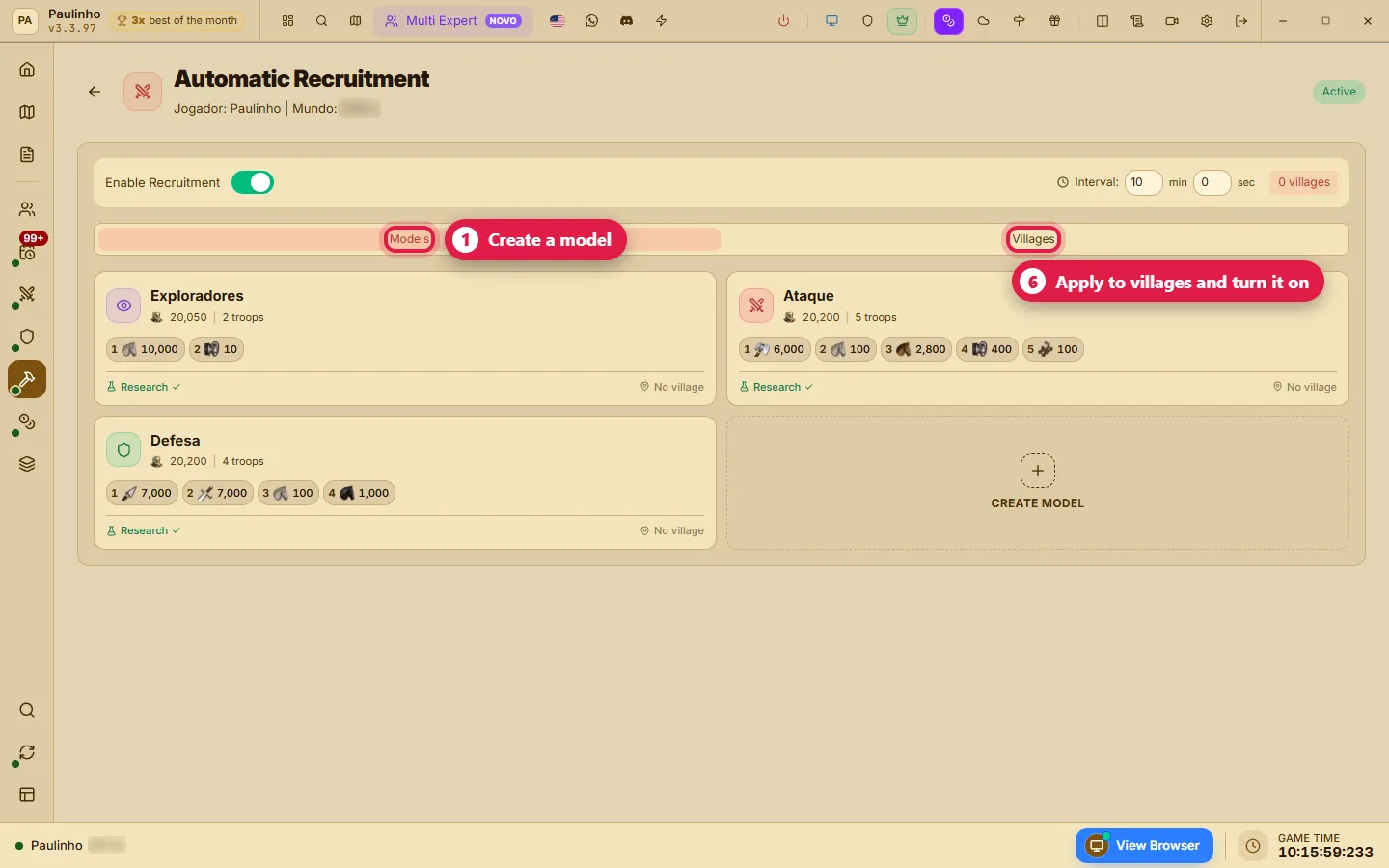
Recruitment keeps the barracks, stable and workshop queues full until you reach the amount you want of each troop. You build a model, apply it to your villages and the app recruits at the interval you choose.
Each order is limited by resources, free population and what is still missing to reach the goal. The account session must be connected.
Step by step
-
Create a model
On the "Models" tab, click "Create Model" and give it a name. Under "Ready-made models", "Attack", "Defense" and "Scouts" fill in typical goals; "Clear" resets everything.
-
Set the goal for each troop
For each troop, fill in "I want" with the final amount. The app recruits until it gets there and stops.
-
Set the queue and the batch
"Orders in queue" is how many orders of that troop can wait in the building (3 at most; default 3). "Troops per order" is how many units each order takes (default 2). The buttons go up to 50; for more, type the number in the field.
-
Order the priority
Under "Recruiting order", the troop at the top recruits first and spends the resources before the others. Drag, or use "Recruit earlier" and "Recruit later".
-
Keep resources and research on its own
Under "Resource reserves (do not recruit below this)", enter how much wood, clay and iron the app never spends. Turn on "Automatic research" so it researches missing troops in the smithy. Click "Save model".
-
Apply to villages and turn it on
On the "Villages" tab, pick the group, check the villages, pick the model and click "Apply". Then turn on "Enable Recruitment" and set the "Interval:" (default 10 minutes).
What each option does
| Option | What it is for |
|---|---|
| Model totals | The total cost of every troop in the model until they're all done. |
| Duplicate model | Copies the model so you can make a variation. |
| Remove the model | Removes the model from the checked villages; they stop recruiting. |
Tips
- Use resource reserves when the Builder also runs in the village, so recruitment does not spend everything construction needs.
- A world without archers does not show archer or mounted archer in the model.
Common problems
Recruitment recruits nothing.
Check that the village has a model ("No model" filter), that the goal in "I want" has not been reached yet, and that resources are above the model's reserves.
I see "configured villages no longer exist".
These are villages that left the account. Click "Remove all" in the warning.
See also
Do not have PS Evolution yet?
The download is free: download it, create your account inside the app and try everything for 24 hours, no card.