 PS Evolution
 Script Flow: order, priority and interval of your automations
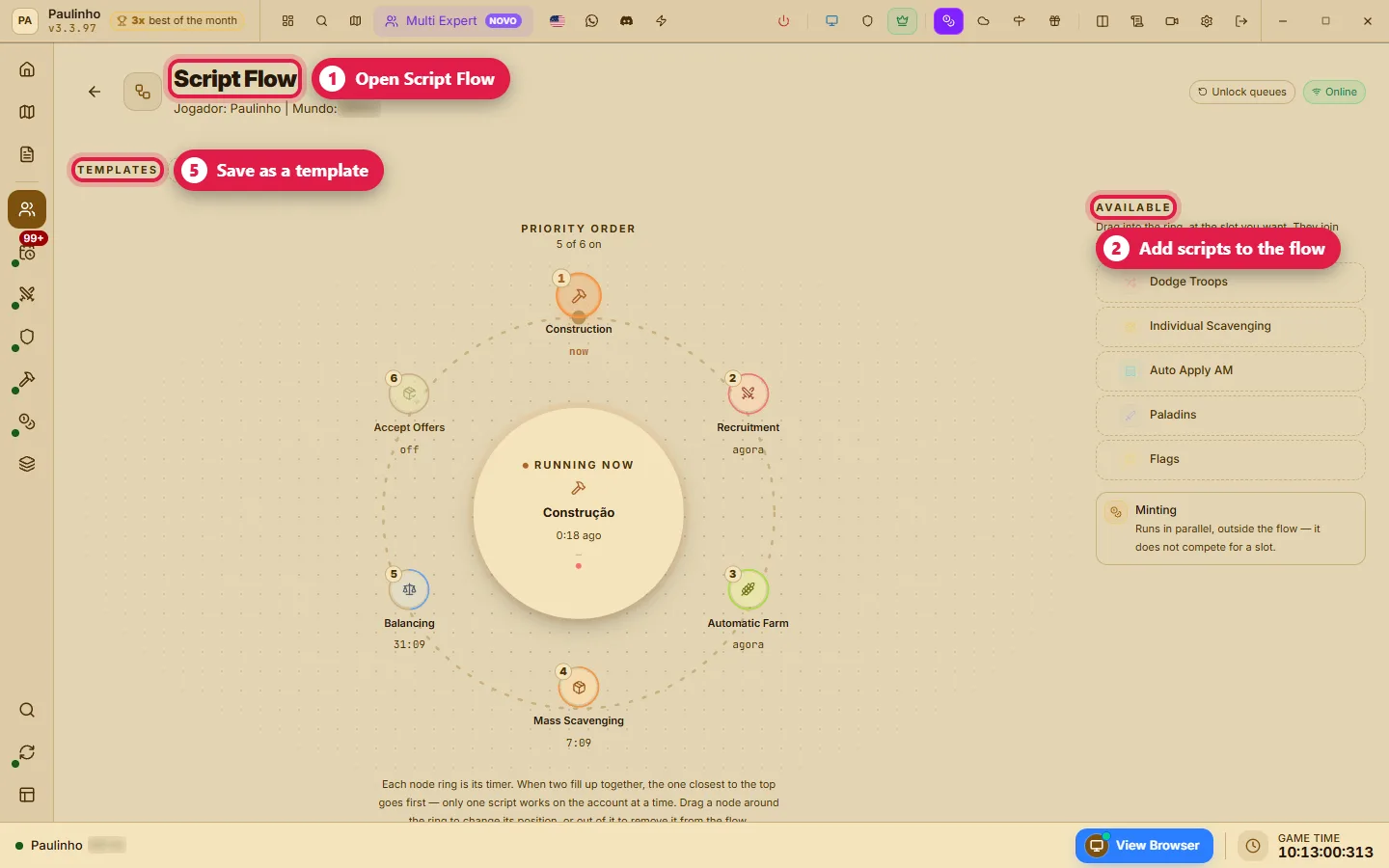
Only one script works on the account at a time. Script Flow shows that queue as a ring: each node is an automation, with its timer around it, and the center shows what is running now or what goes next.
The position on the ring is the priority: the top goes first and the order runs clockwise. When two timers fill up together, the one closer to the top goes first.
Step by step
-
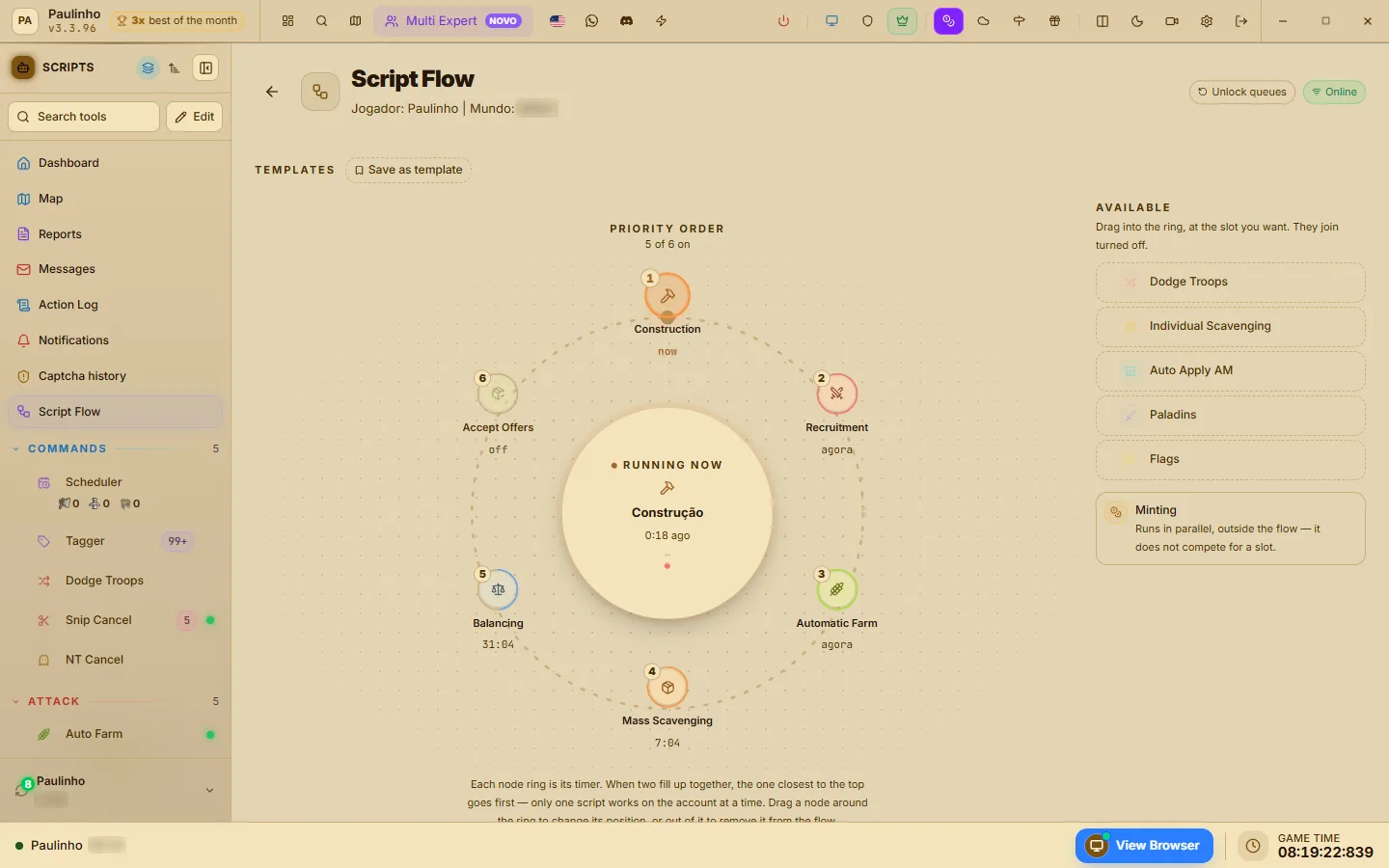
Open Script Flow
Open the account and click Script Flow in the sidebar. The top shows the account state ("Online" or "Offline") and how many scripts are on.
Open Script Flow -
Add scripts to the flow
Under "Available", drag a script into the ring, at the slot you want. It comes in turned off. The available scripts are Builder, Recruitment, Auto Farm, Dodge Troops, Bulk Scavenge, Individual Scavenge, Balancer, Accept Offers, Auto Manager, Paladins and Flags.
-
Turn it on and set the interval
Click a node to open its controls. Turn on the switch ("On in the flow") and set "every" how many minutes (some accept seconds) it should run. There you also find "Run now", "Configure" (opens the tool's screen) and "Remove from flow".
-
Change the priority
Drag a node around the ring to change its place in the queue. To remove it from the flow, drag the node out of the ring.
-
Save as a template
Under "Templates", click Save as template and give it a name (for example "War" or "Sleeping account"). Then apply the template to any account with one click. If you change the flow, the template shows as "modified" and can be updated.
What each option does
| Option | What it is for |
|---|---|
| Run now | Puts the script at the front of the queue. Only works with the account online and the script on. |
| Unlock queues | Clears locks and stuck runs, empties the queue and starts over from scratch in priority order. |
| Minting | Runs in parallel, outside the flow, and does not compete for a slot. The button takes you to the Minting screen. |
Tips
- Put at the top what cannot be delayed (for example Dodge Troops) and lower down what can wait.
- With the account disconnected, the timers stop and start again when it opens.
Common problems
A script that is on never runs.
Check that the account is "Online". If it is, look at the script's position: with many short-interval scripts above it, it waits its turn. If the queue looks stuck, use "Unlock queues".
The "Run now" button is greyed out.
It only works with the account online, the script on, and the script not already queued or running at that moment.
I put a script on the ring and it did not turn on by itself.
Every script comes into the flow turned off. Click the node and turn on the switch.
See also
Do not have PS Evolution yet?
The download is free: download it, create your account inside the app and try everything for 24 hours, no card.