 PS Evolution
Tribal Wars noble bot: how to set up Ennoble Villages
Ennoble Villages handles the conquest from start to finish: it picks the origin village with an academy, trains the nobles, requests resources from nearby villages, scouts the target, sends the clearing, sends the nobles and reads the reports to decide the next step, until the village is conquered.
In Guided mode you enter the origins and the targets. In Autonomous mode it looks for nearby barbarian villages on its own and picks the origins.
Origin villages need an academy, because that is where the game trains the nobleman, and the resources to train it.
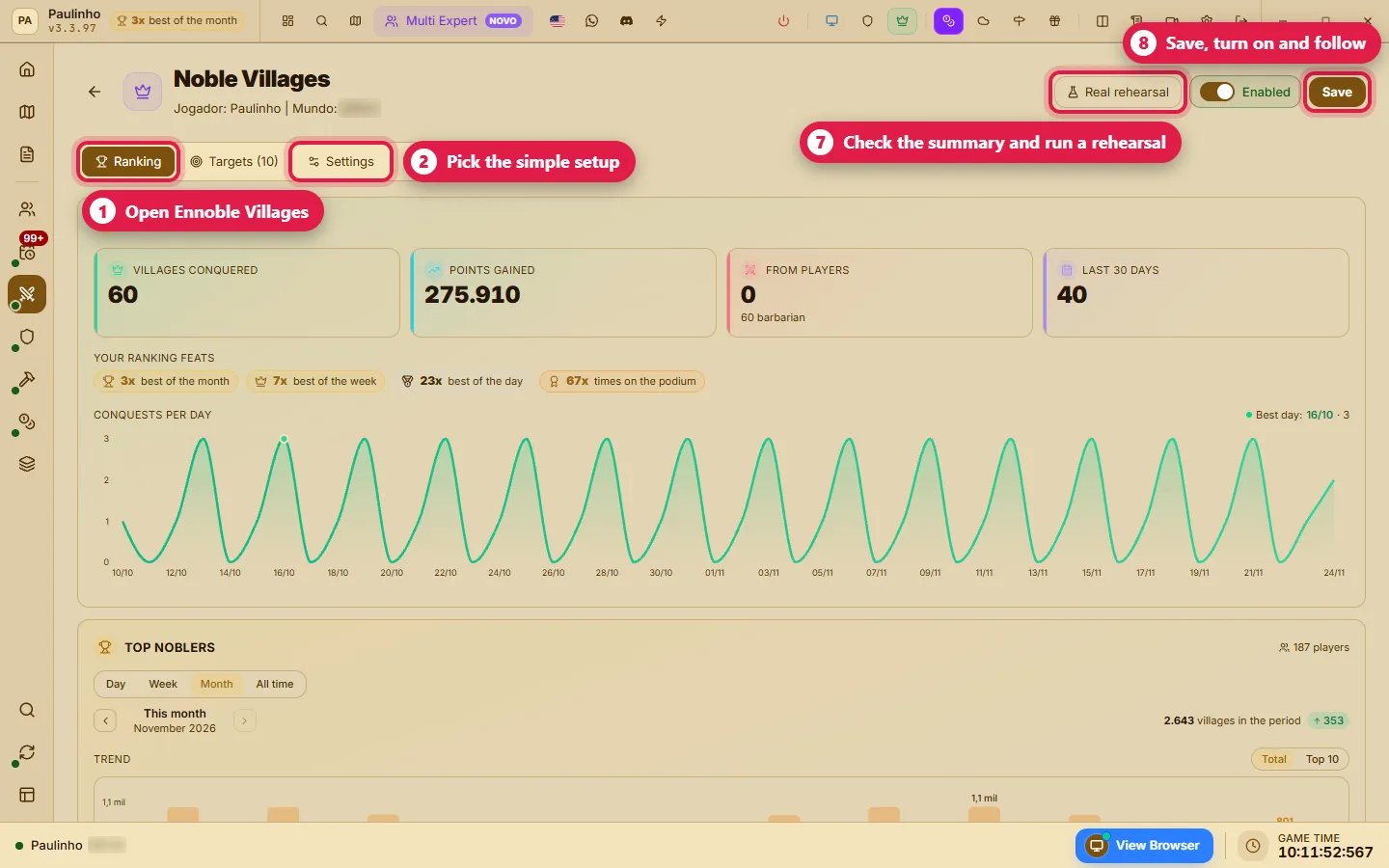
Step by step
-
Open Ennoble Villages
In the account sidebar, pick Ennoble Villages. The screen has the "Ranking", "Targets", "Settings" and "Logs" tabs. At the top are the "Real rehearsal" button, the switch that turns the tool on and the "Save" button.
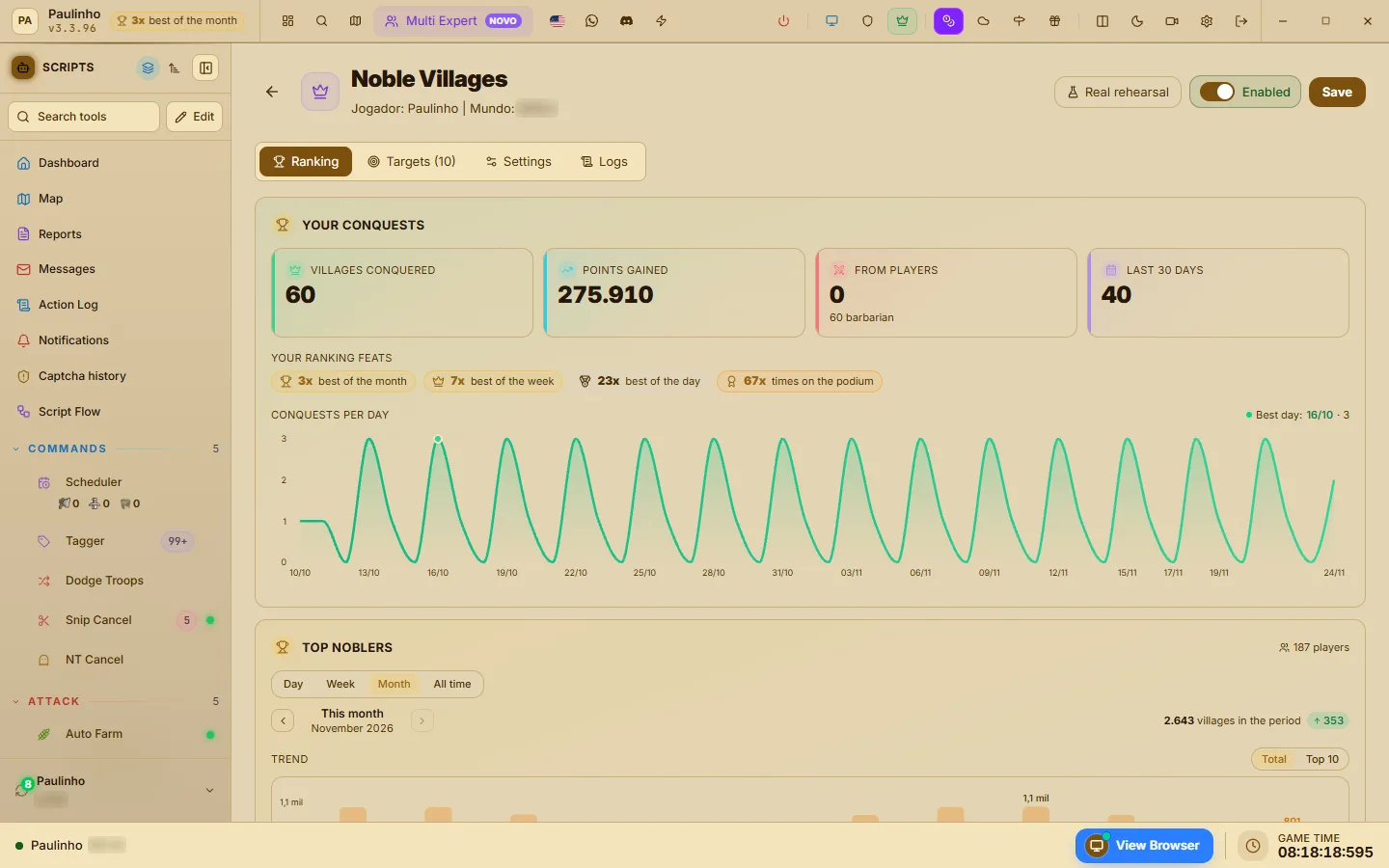
Open Ennoble Villages -
Pick the simple setup
In the "Settings" tab, leave it on "Simple setup": a step-by-step with only what decides the nobling. Escort, resources, safety limits and alerts stay on the recommended defaults. "Advanced setup" opens every option.
-
Say which villages to noble
In "Guided" mode, enter the origins (your villages that send the nobles) and the targets (barbarian or player villages), one coordinate per line or separated by spaces, and click "Register targets". In "Autonomous" mode, pick the "Origin group", the "Search radius" and the "Target points range".
-
Decide whether to scout first
Say whether you want to scout the village before risking the nobles, and with how many scouts. They leave from your village closest to the target that has at least that many at home, never fewer.
-
Pick the nobles and the escort
Pick 1 to 4 nobles per attack: with 2 or more, they land together, one right after the other. Then set which troops go with each nobleman: click the unit picture to take all of them, or type an amount (200) or a percentage (25%).
-
Decide whether to send a clearing first
Say whether you want to send a clearing nuke, which group the troops come from, which troops go (each ticked unit goes in full) and how many attacks. Each attack leaves from a different village in the group, the one closest to the target. The nobles only leave after the report shows the village is clear.
-
Check the summary and run a rehearsal
The "How it will work" block describes in plain sentences what will happen. Click "Real rehearsal" for the app to read the account's real data (villages, troops, coins and distances) and show the plan, without firing anything in the game.
-
Save, turn on and follow
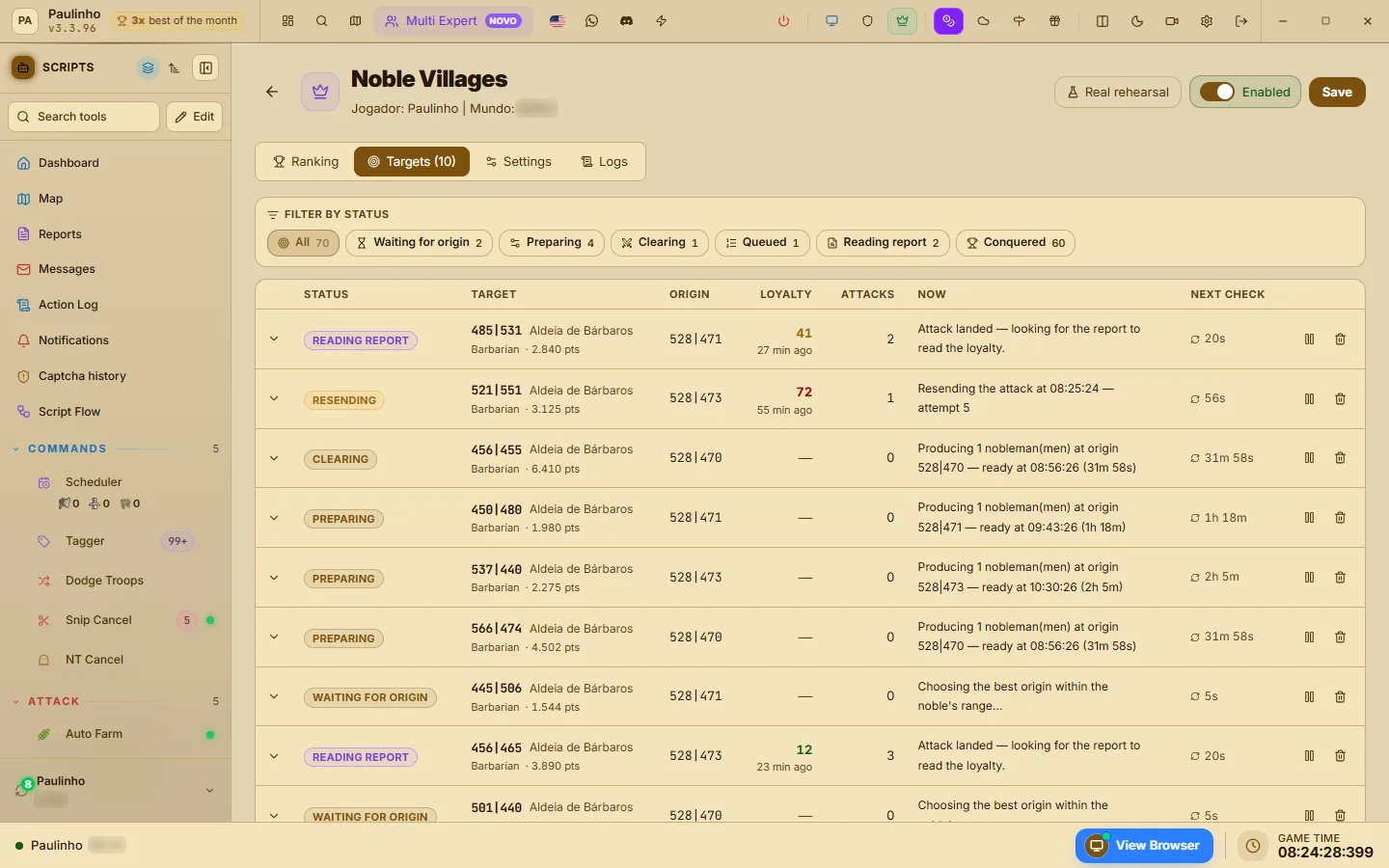
Click "Save" and turn the tool on with the switch at the top. In the "Targets" tab, each village shows its state ("Scouting", "Preparing", "Clearing", "Nobling", "Conquered"...), the loyalty, the attacks and the next check, with the "Pause", "Resume" and "Remove" buttons.
What the screen looks like
What each option does
| Option | What it is for |
|---|---|
| Precise attack on player targets | Schedules through the Scheduler so the waves land together, with millisecond precision. |
| Targets per origin at the same time | With 1, the origin focuses on one target until it is conquered. With 2 or more, it works on several in parallel, splitting scouts and nobles. |
| Use idle nobles | An origin with a spare nobleman opens another target instead of leaving the nobleman idle. |
| Alternative escort and Minimum noble escort | If the origin does not have the preferred escort, it uses the first alternative that fits; if not even that, it fills up to the minimum, so the nobleman never leaves alone. |
| Minimum nobles by distance | From far away, loyalty goes up during the trip: here you set how many nobles to send by distance (Near, Medium, Far). |
| When the scouting does not see the village | Red report or no report: "Pause the target", "Send the clearing blind" or "Send the nobles anyway". |
| Reserve the village in the tribe | Marks the village as reserved before nobling. |
| Resource request | Pulls resources from nearby villages so the origin can produce the nobles, with an interval per origin, max distance, source group, warehouse reserve and villages that never donate. |
| Safety limits | Max noble attacks per target, failures in a row before pausing, abort if the defense goes over a value, and only noble villages without others' reservation. |
| Notify on WhatsApp when conquering | Uses the Tagger's contacts and groups; WhatsApp must be activated there. |
Tips
- On the Map, select villages and click "Ennoble" to send them straight to the target list.
- The noble tool does not fight other tools over the account: if Auto Farm is in a cycle, it waits for it to finish and then continues.
- The "Ranking" tab shows your conquests and the platform's top nobles by day, week, month or all time.
Common problems
The target shows "Reserved by another player".
With "Only noble villages without others' reservation" on, the target pauses and resumes on its own when the reservation is gone. To go ahead now, turn that option off.
The target is "Waiting for resources/coins".
The origin does not have what it needs to train the nobleman yet. Turn on the resource request in the advanced setup or supply the origin village.
When registering, I saw "does not exist on the map" or "is your own village".
Check the coordinates. Only villages that exist in the world and do not belong to your own account can be targets.
The target paused after a few failures.
It hit "Failures in a row before pausing" or another safety limit. See the reason in the "Logs" tab and use "Resume" once it is fixed.
See also
Do not have PS Evolution yet?
The download is free: download it, create your account inside the app and try everything for 24 hours, no card.