 PS Evolution
Tribe command mapping: every incoming attack in one room
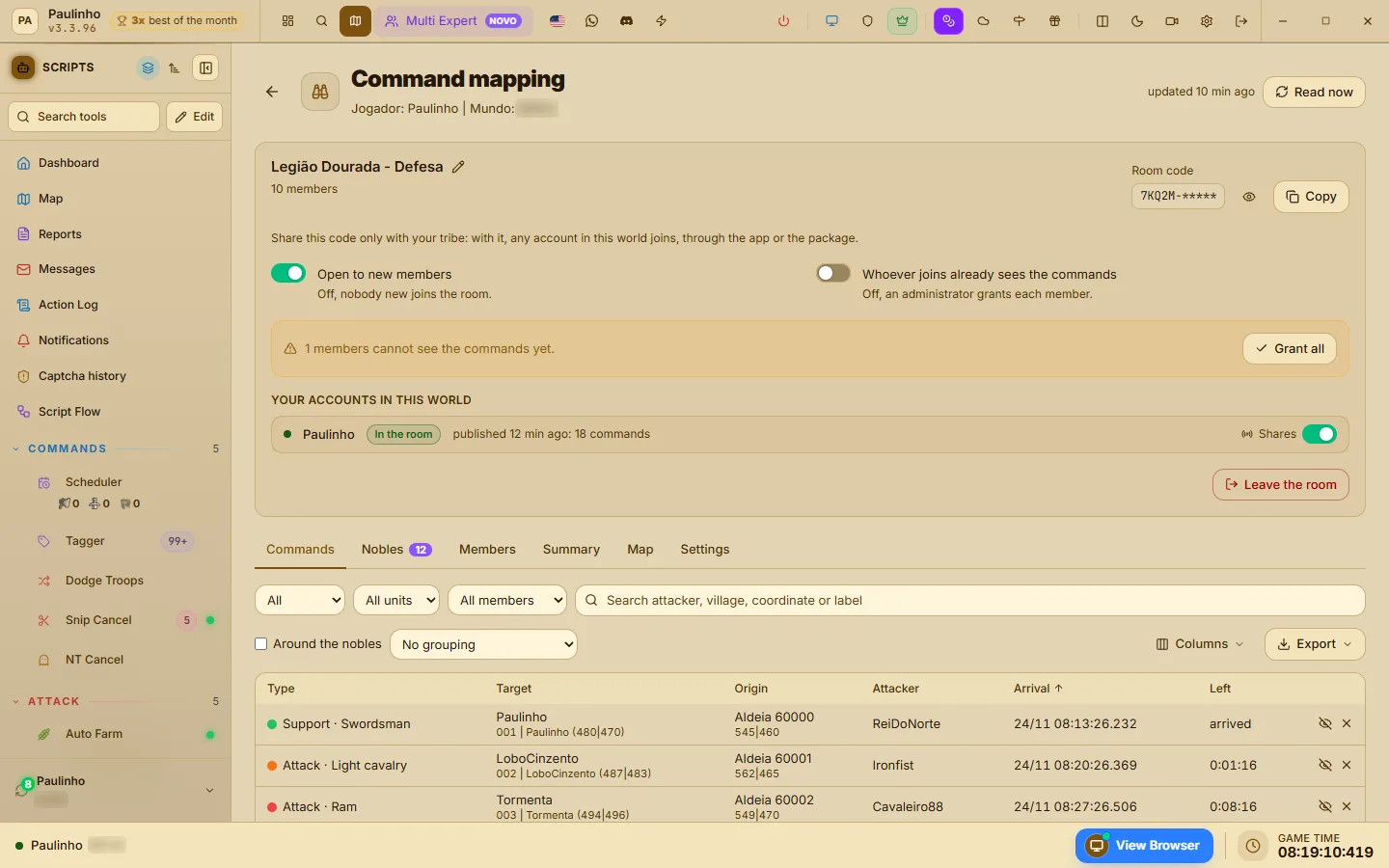
In Command mapping, each member publishes the attacks and support their account is receiving, and everyone with access sees it all on one screen, with villages receiving nobles highlighted.
The rooms are the same as in the PaulinhoScripts package: people on the app and people on the package join with the same code and see each other's commands. Times are shown in the game server time zone.
Step by step
-
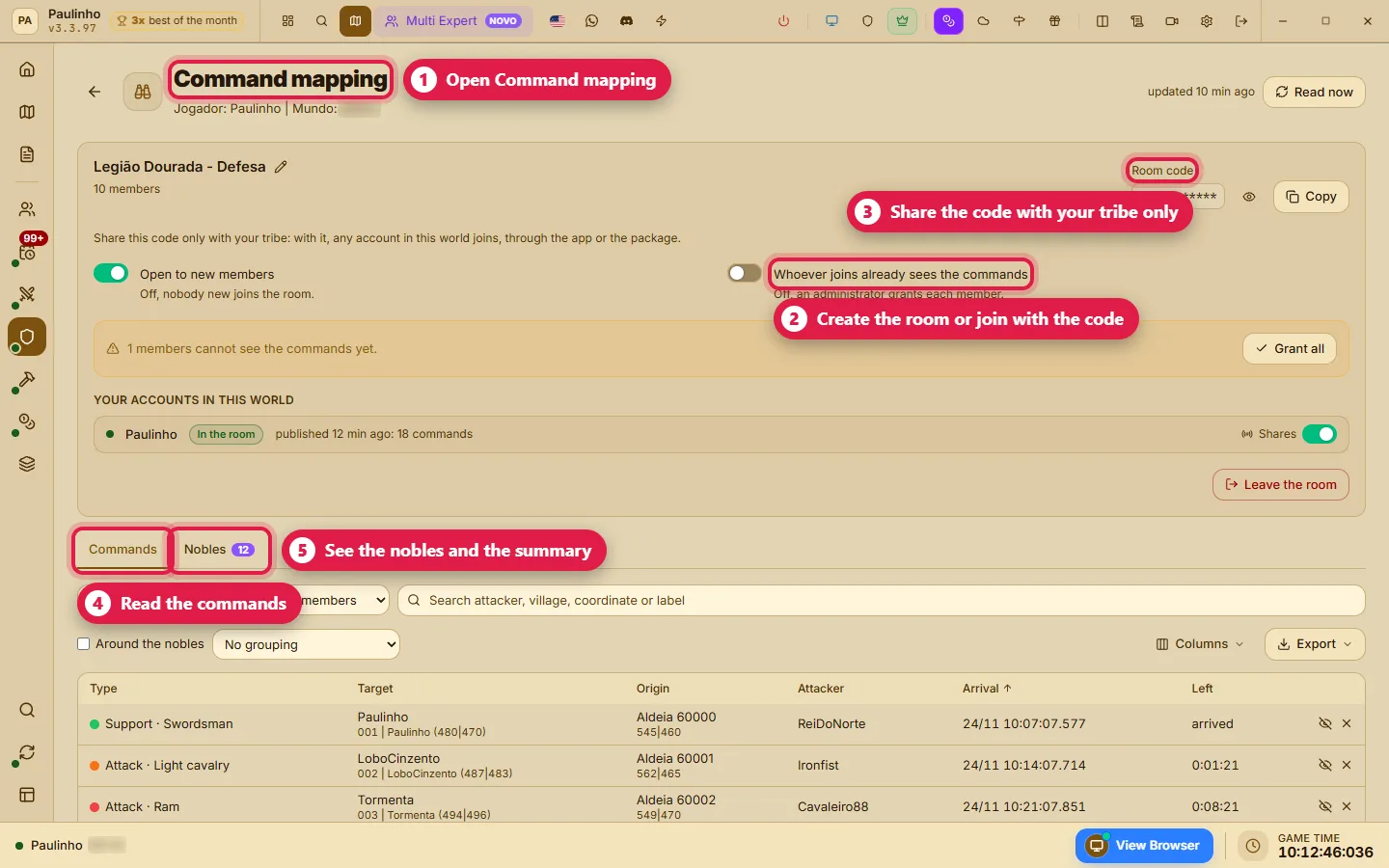
Open Command mapping
Pick Command mapping in the sidebar. Connect the account at least once so the app knows the player and the world; after that the room opens even with the session off.
Open Command mapping -
Create the room or join with the code
Under "Create a room", give it a name and decide whether "Whoever joins already sees the commands" (when off, an admin grants each member). Or, under "Join a room", paste the code your tribe gave you and click "Join".
-
Share the code with your tribe only
The "Room code" sits at the top, with "Copy". With it, any account on the same world can join, from the app or the package. Your other accounts on that world join on their own when their session opens.
-
Read the commands
In the "Commands" tab, filter by type, unit and member, search for attacker, village, coordinate or tag, use "Around the nobles" and group by target player, attacker, attacked village or origin village. "Columns" picks what shows and "Export" copies as Text, CSV, BBCode or JSON.
-
See the nobles and the summary
The "Nobles" tab lists the villages receiving nobles, with how many, when the first lands and who is attacking. "Summary" shows totals, arrivals per hour and who attacks the most. "Map" draws the routes; click a target to open its commands.
-
Manage the room
In the "Members" tab, the creator and the admins decide who "Sees commands", promote to admin and remove members. "Grant all" gives access at once. Turning "Open to new members" off locks the room to new members.
What each option does
| Option | What it is for |
|---|---|
| Read the commands of each account every | How often the app reads and publishes your accounts' commands. "Read now" reads right away. |
| Warn when a room village starts receiving nobles | Shows the "Nobles incoming" alert on any app screen, with a button to open the mapping. |
| Add the other accounts in this world automatically | An account on the same world joins the room when its session opens. An account removed by an admin only comes back if you add it yourself. |
| Shares | Under "Your accounts in this world", each account chooses whether it publishes its own commands. |
| Show the date and the milliseconds | Adds the date and the ms to the times in the lists. |
Tips
- Hide commands or whole villages you don't care about; "Show all again" undoes it.
- A room is for one world. For another world, create or join another room from the account on that world.
Common problems
Only my own accounts' commands show up.
A room admin has not granted your view yet. Ask them to tick "Sees commands" or use "Grant all".
I can't join: "The room is locked to new members."
Ask an admin to turn on "Open to new members".
I see "The player is already in the room from elsewhere".
That player already joined from another PC or from the package. No need to join again.
I see "The room already has 80 members." or "The room is from another world."
Each room takes up to 80 members and is for one world only. Use another room or the account on the right world.
See also
Do not have PS Evolution yet?
The download is free: download it, create your account inside the app and try everything for 24 hours, no card.