 PS Evolution
How to buy Tribal Wars Premium Points through PS Evolution (Brazil only)
The app's Premium Points store sells points for Tribal Wars Brazil accounts only (br worlds). You pick the package, enter the account, pay by PIX or card and the points are credited in moments.
The purchase is only available for accounts on the Brazilian server. Accounts on other servers, such as .net, .co.uk or .us, do not receive the points.
Step by step
-
Open the store
Click Buy PP in the top bar. The button shows when you have at least one br world account (or no account registered).
Open the store -
Pick the package
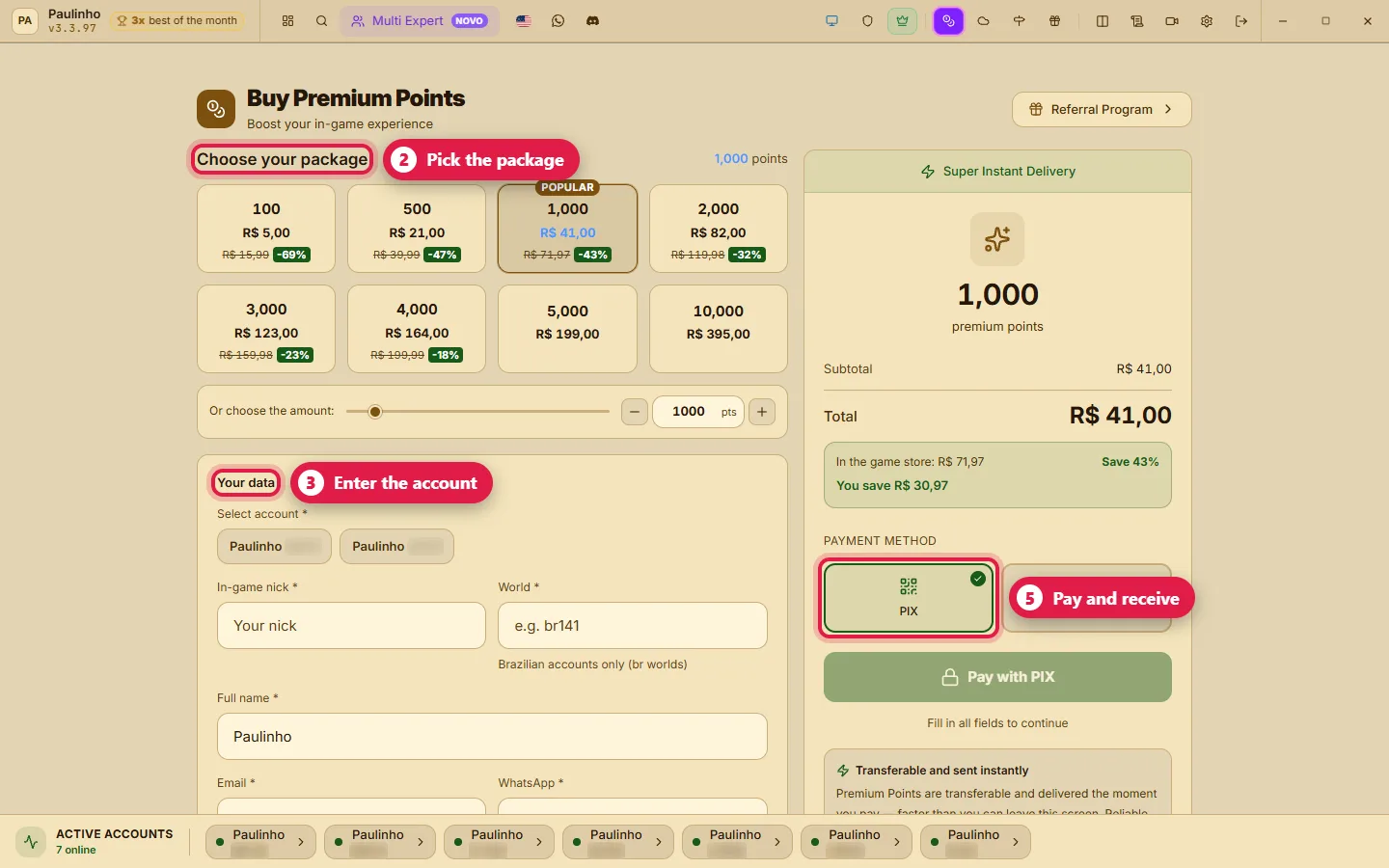
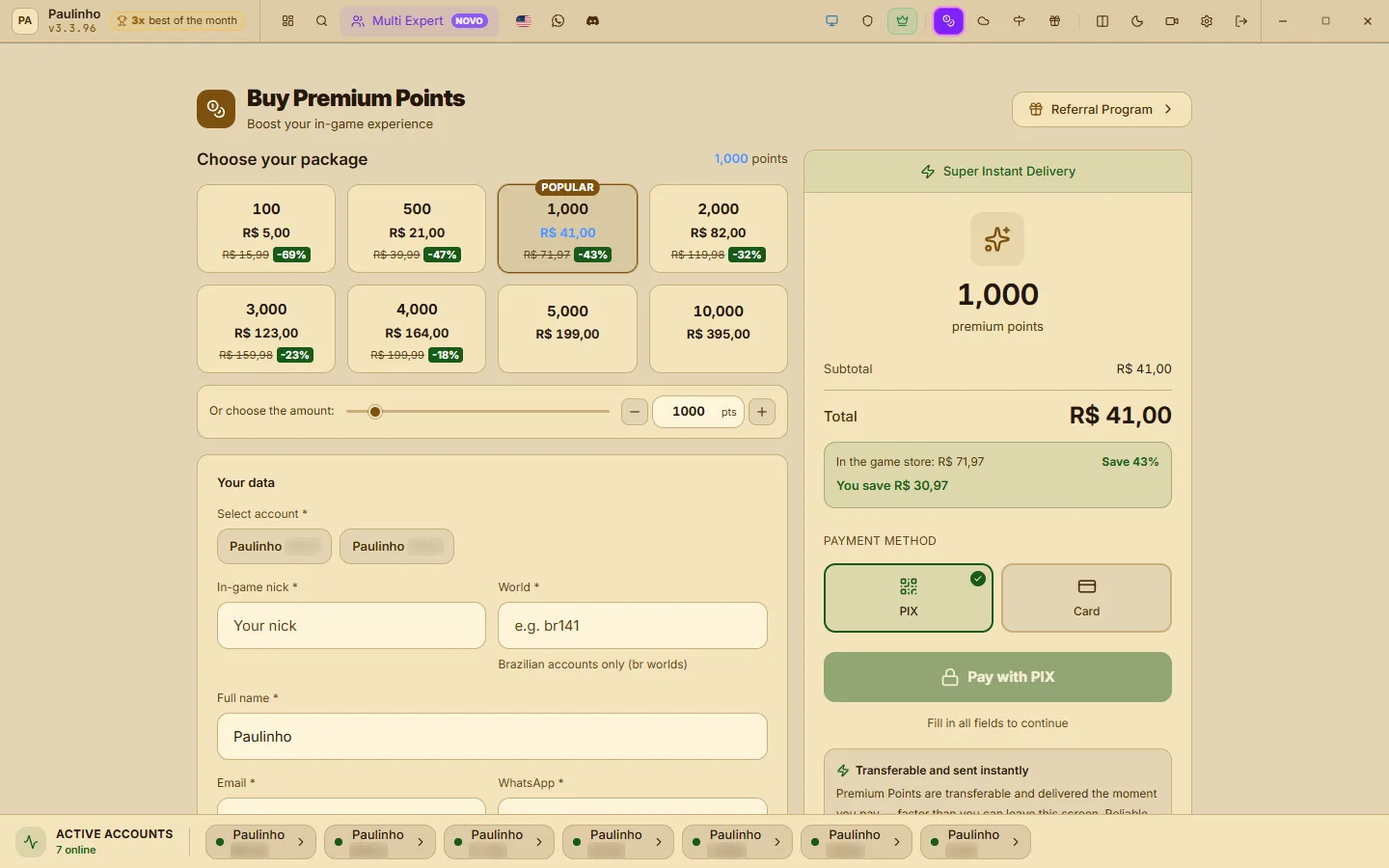
Under "Choose your package", click a package from 100 to 10,000 points, or use "Or choose the amount:" to type a value (in steps of 100). The screen shows how much you save compared with the in-game store.
-
Enter the account
Under "Your data", pick the account in "Select account" and check the "In-game nick" and the "World". Fill in your full name, email and WhatsApp. These details are saved for your next purchase.
-
Apply a coupon or referral
If you have one, fill in "Discount coupon" or "Referral code" under "Coupon or Referral". The discount or bonus shows in the summary.
-
Pay and receive
Pick "PIX" or "Card" and click Pay with PIX (or "Pay with Card"). With PIX, scan the QR Code or copy the code. With a card, the payment page opens in your browser. Once the payment is confirmed, the screen shows "Crediting your points..." and then "Points credited!".
What each option does
| Option | What it is for |
|---|---|
| PIX | Brazilian instant payment from your bank app, with a QR Code or a copy-and-paste code. |
| Card | Payment through Mercado Pago, with a 6.10% card fee added to the total. |
| Discount coupon | Gives a percentage discount, a fixed discount or bonus points, depending on the coupon. |
Tips
- Check the nick and the world before paying: the points go to that account.
- Have a referral code? Refer friends too: you generate your own on the Referrals screen.
Common problems
I see "Purchase available only for Brazilian accounts".
The chosen account is not on a br world. Premium Points are only credited on Tribal Wars Brazil. Pick a br account.
I don't see the "Buy PP" button.
None of your registered accounts is on the Brazilian server. The button only shows when there is a br world account (or no account at all).
I paid and the points did not arrive.
If the screen shows "Delivery in progress", wait a moment and check in the game. If it shows "delivery under review", the payment was received and the team credits the points by hand; if it takes long, talk to support.
See also
Do not have PS Evolution yet?
The download is free: download it, create your account inside the app and try everything for 24 hours, no card.